

As an Amazon Associate, I earn from qualifying purchases. That means I earn commissions from my sponsored links or I make money when readers (you) purchase items through my links. Your purchase allows me to continue working as a stay-at-home dad who moonlights as a farmer and a musician. Needless to say, this post contains affiliate links.
10th Anniversary Limited Edition · Available at Azaka Music Hub, Davao City
I’ve been a Zoom user for a long time.
Comfortable with it, familiar with it, no real complaints.
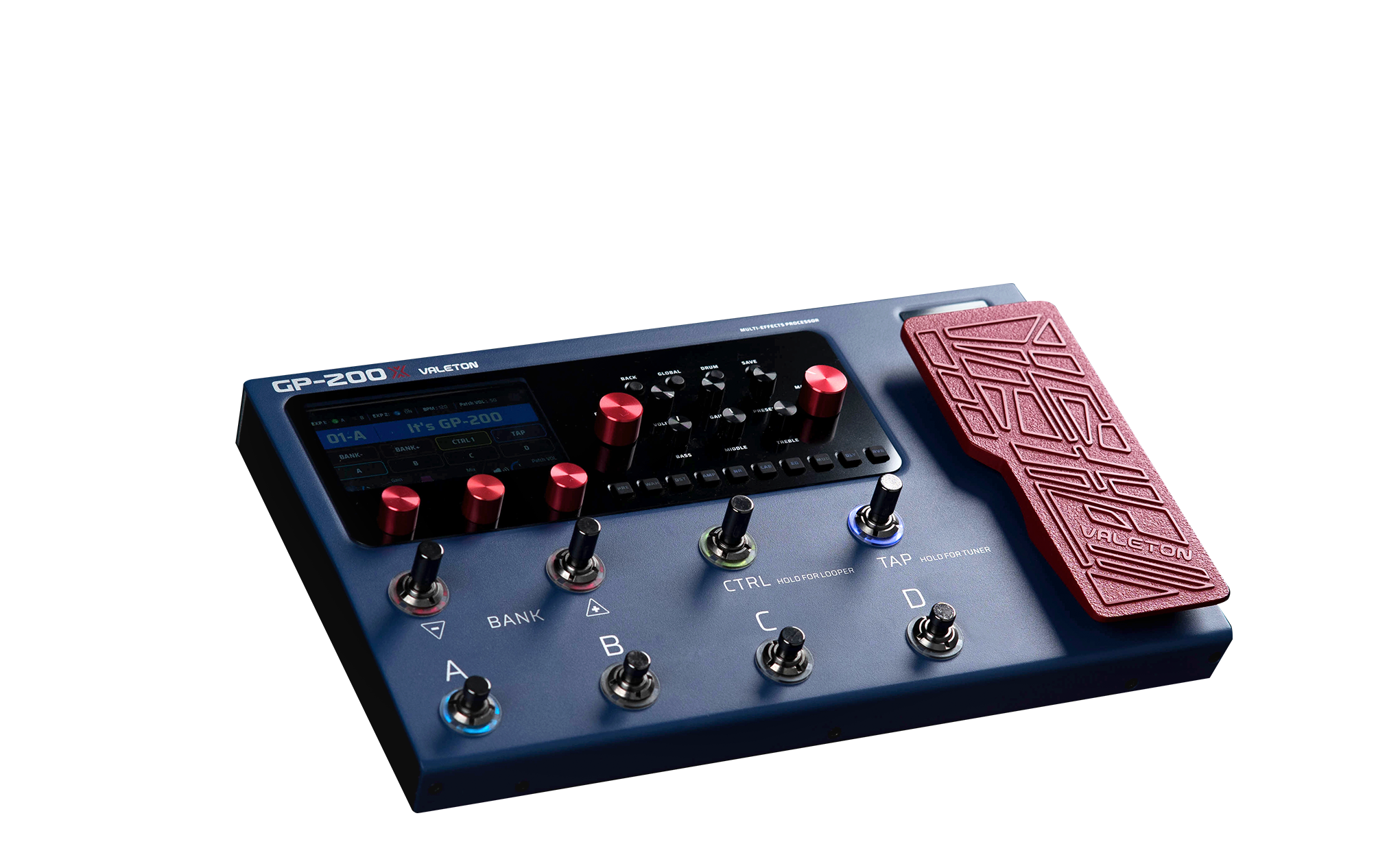
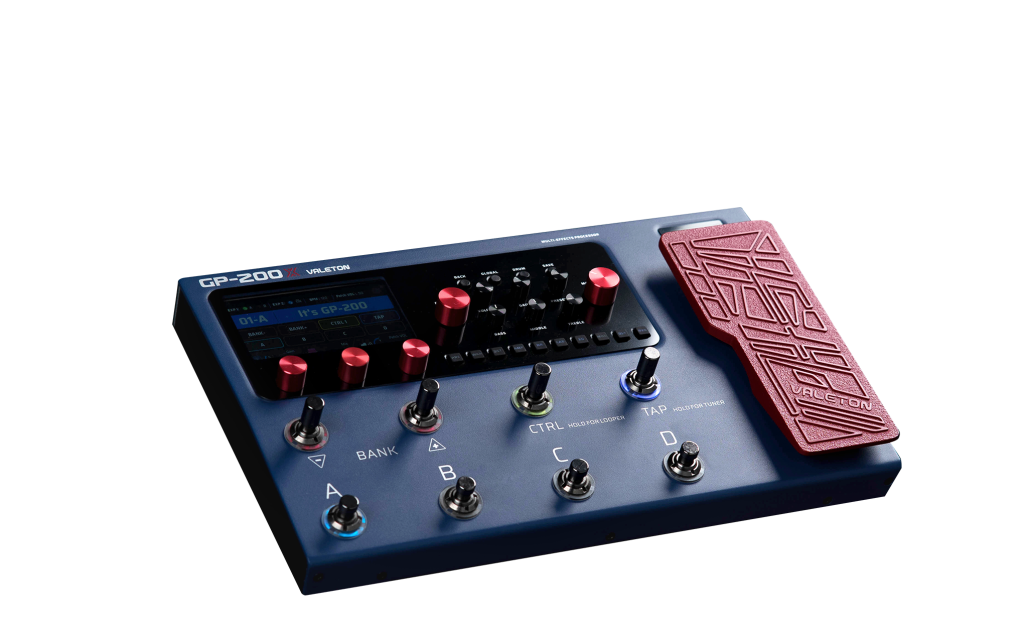
And then the GP-200X showed up in deep navy blue with red knobs and a red expression pedal and suddenly I’m questioning my loyalty to the Zoom brand.
Let me be honest with you upfront.
The first thing that got me about the Valeton GP-200X was the color.
Not the specs.
Not the 140 amp models.
Not the 10th anniversary firmware.
The color.
That deep navy blue chassis with the red pedal and red knobs is one of the best-looking pieces of guitar gear I’ve seen in a long time and I am not ashamed to say that aesthetics matter to me when I’m going to be staring at something on a pedalboard for the next several years.
And when I started reading the specs… well… I guess tgat’s what led me to debate my longstanding brand loyalty to Zoom.
I have the Zoom G5n as my main gigging multi-FX pedal.
But… the Valeton GP-200X… with its…
- … deep navy blue casing.
- … red expression pedal.
- … red knobs.
Oh man…
Valeton released this in 2024 to celebrate their 10th anniversary and the colorway alone makes it look more expensive than it is.
It also comes in a premium gift box with a handcrafted guitar pick and a pure copper leather keychain pick holder.
That’s something you don’t usually see at this price point.
Specs
The GP-200X is the limited edition 10th anniversary version of Valeton’s flagship GP-200 multi-effects processor.
Under the hood it is the same unit as the standard GP-200… same processor, same software, same signal chain.
What you get additionally is the anniversary colorway, the latest 10th anniversary firmware with new high-quality algorithms, 12 custom artist preset banks starting from Bank 26, a special anniversary startup screen, and that premium gift box packaging.
The GP-200 itself has been around since around 2022 and has consistently been called one of the best multi-effects units in the two to three hundred dollar bracket by reviewers internationally including Andertons Music, one of the biggest guitar YouTube channels in the world.
The GP-200X comes loaded with the most current version of everything Valeton has learned since then.
What’s Inside
- 140+ amp simulations covering clean, crunch, blues, rock, metal, and everything in between
- 100+ pedal effects including the Precision OD (used by Periphery), the Sur Riot, and more
- 11 effect modules — compressor, boost, wah, distortion, amp, noise gate, cabinet, EQ, modulation, delay, reverb — all rearrangeable in the signal chain
- 20 IR slots for loading third-party cabinet impulse responses
- 80 preset banks fully editable and storable
- Built-in drum machine with multiple rhythm patterns and adjustable BPM
- Looper with auto-start mode that begins recording when you start playing
- Expression pedal with dual preset mode — hard press switches between two assigned functions
- 8 assignable color-coded footswitches with multiple layout modes including stomp mode and fully customizable user mode
- Dedicated amp control knobs for bass, middle, treble, volume, gain, and presence — adjustable without entering the edit menu
- Stereo XLR and 1/4″ outputs, headphone out, USB audio interface, send and return loop
- PC/Mac software editor for full-size parameter editing on screen
- 12 artist preset banks created exclusively for the GP-200X (starting Bank 26)
I think Pax said it best when he said: the design is “hindi nakakakabang ipang-gig” — not intimidating to bring to a gig.
It was designed with performing musicians in mind and that shows in how the controls are laid out. The 10 rubber effect module buttons along the bottom mean you can jump directly into editing a specific effect without scrolling through menus.
Press the distortion button and you’re immediately looking at your distortion parameters. Press delay and you’re there. Fast and intuitive in a way that matters when you’re on stage and you need to adjust something quickly.
How to Use It · The Basics
If you’re coming from a simpler setup or thinking about picking this up as your first proper multi-effects unit, here’s how the core workflow actually goes.
1 – Editing an Effect On the Fly
Press the effect module button for whatever you want to edit — Dist, Delay, Reverb, Amp, etc. The display immediately shows you that effect’s parameters with three access knobs at the bottom to adjust gain, tone, volume or whatever that effect uses. If there are more than three parameters, press the page button to scroll through them. Fast. No menu diving.
2 – Assigning Effects to Footswitches (Stomp Mode)
Go to Global Settings, then select Footswitch. Choose Stomp Mode from the layout presets. This converts your footswitches into stomp box controls so you can turn individual effects on and off with your foot mid-song, exactly like a real pedalboard. If you want full control, select User Mode and assign every switch yourself. The switches light up color-coded so you always know what’s on and what’s off at a glance.
3 – Creating a Loop
Hold down the Looper button until you enter the looper screen. The auto-start mode means recording begins the moment you start playing — no need to hit a switch first. To sync your loop to a drum pattern, set your BPM in the drum menu first and the loop will lock to it automatically. Hold the delete button to clear the previous loop before starting a new one.
4 – Using the Drum Machine
Access the drum menu, scroll through patterns (pop, rock, jazz, metal and more), set your BPM, and start playing. The loop and drum machine sync automatically when used together. Turn the drums on or off from within the looper without leaving the screen.
5 – Editing with the PC Software
Connect via USB and open the Valeton editor software (available for Windows and Mac on their website). The entire unit becomes a full-size editable interface on your screen which is especially useful for dialing in complex tones like high-gain patches where a 10-band EQ on the unit itself can be fiddly. The workflow is identical to the hardware but you can see everything at once.
I haven’t pulled the trigger yet but I’m close.
The color got my attention.
The spec sheet kept it.
And the fact that both Andertons and Pax independently landed on the same conclusion — that this is one of the best multi-effects units in its price range and genuinely designed for gigging — that’s the kind of consensus that’s hard to argue with.
My Zoom has served me well.
But navy blue with red knobs is calling my name.
The GP-200X vs the Rest of the GP Family
Just to be clear on the lineup since there are multiple versions.
The GP-200 and GP-200X are the full flagship units with the expression pedal, dedicated amp knobs, and full switch count.
The GP-200 Junior is smaller, more portable, still has the expression pedal but fewer switches.
The GP-200 LT is the most affordable, aimed at bedroom players and pedalboard integration, and has a dedicated headphone volume knob but no expression pedal built in. All three share the same processor and software so the sounds are the same across the lineup.
The X is the one you want if you want everything and you want it to look incredible on stage.
Available in Davao through Azaka Music Hub
Azaka Music Hub has been the go-to source for specialized guitar gear in Davao City since 2016.
If you want to see this unit in person before buying, or if you want to ask Jero any questions about it before committing, they’re the place to go. Supporting a local Davao music store means someone here actually knows what they’re selling.
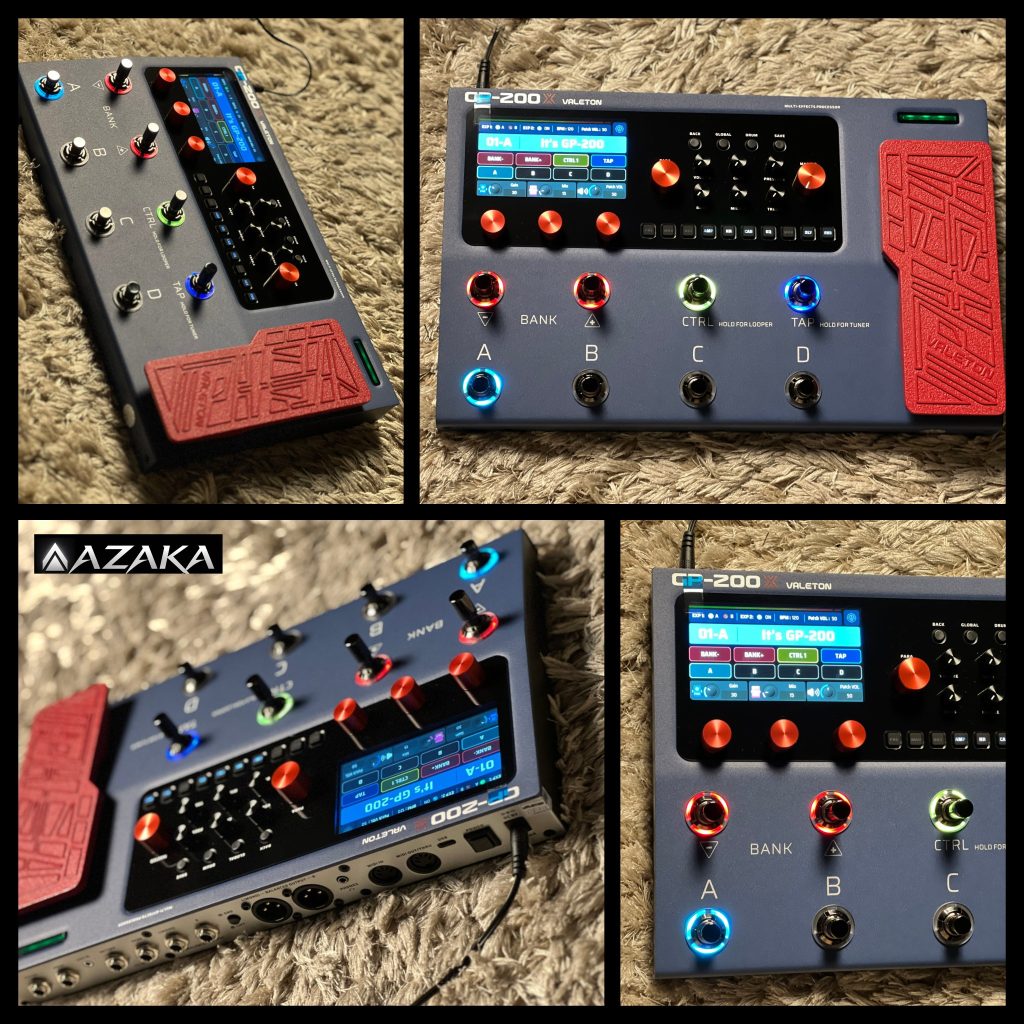
Find them on Facebook: facebook.com/Azakamusichub
Want One?
Affiliate links. Costs you nothing extra. Helps keep this site going. Thank you.